Type Definitions
Implementation and naming details may vary depending on the specific platform, but the core concepts and overall structure remain consistent across all platforms.
Custom Types
Color
A platform-specific color type or #ARGB string representation, e.g. "#FFEF5754"
// Compose Color from hex value
val brand: Color = Color(0xFF4000FF)
// Custom wrapper around UIColor
// Supports hex string literals and integer literals
let brand: Aiuta.Color = "#FF4000FF"
// String in hex format (#AARRGGBB or #RRGGBB)
final String brand = "#FF4000FF";
// Hex format (#RRGGBB or #AARRGGBB) or CSS color values
brand: "#4000FF"
ComponentStyle
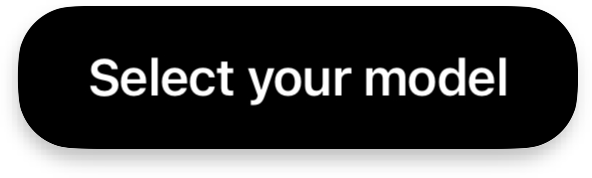
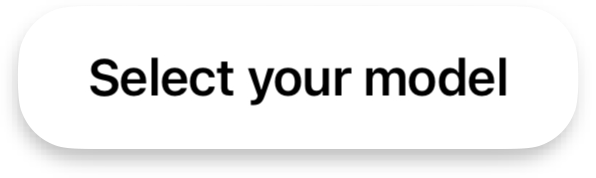
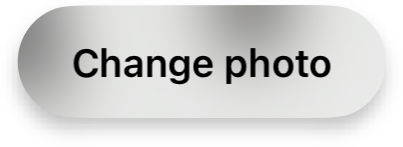
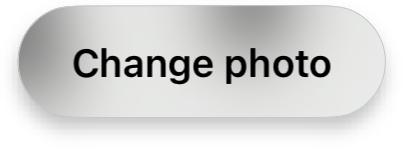
A style that defines the visual appearance of specific UI components like buttons and status views. Controls the background, foreground, and optional outline styling.
enum class AiutaComponentStyle {
    BRAND,
    CONTRAST,
    CONTRAST_INVERTED,
    BLURRED,
    BLURRED_WITH_OUTLINE
}
enum ComponentStyle {
    case brand
    case contrast
    case contrastInverted
    case blurred(hasOutline: Bool)
}
enum AiutaComponentStyle {
    brand,
    contrast,
    contrastInverted,
    blurred,
    blurredWithOutline
}
type ComponentStyle = "brand" | "contrast" | "contrastInverted"
                    | "blurred" | "blurredWithOutline"
Shapes are independent and are not affected by component styles.

DataProvider
Some SDK features need to persist data (e.g. upload history, generation history, onboarding completion, consent state). A DataProvider controls where and how this data is stored.
BuiltIn— the SDK handles storage internally. No extra code is needed.Custom— you provide your own storage by implementing the required observable properties and callbacks. This lets you sync SDK state with your backend or use a custom persistence layer.
Each feature that supports a data provider declares its own specific properties and callbacks in its scheme page. The type is always BuiltIn | Custom { ... }.
// Sealed interface with two implementations
sealed interface DataProvider

// BuiltIn — singleton, SDK stores data internally
object DataProviderBuiltIn : DataProvider

// Custom — implement the interface
interface DataProviderCustom : DataProvider {
    val items: StateFlow<List<T>>
    suspend fun addItems(items: List<T>)
    suspend fun deleteItems(items: List<T>)
}
// Enum with associated protocol for custom
enum HistoryProvider {
    case userDefaults   // SDK stores in UserDefaults
    case dataProvider(DataProvider)
}

// Custom — implement the protocol
protocol DataProvider {
    var items: Aiuta.Observable<[T]> { get async }
    func add(items: [T]) async
    func delete(items: [T]) async
}
// Sealed class with two implementations
sealed class DataProvider {}

// BuiltIn — SDK stores data internally
class DataProviderBuiltIn extends DataProvider {}

// Custom — provide ValueListenable and callbacks
class DataProviderCustom extends DataProvider {
    final ValueListenable<List<T>> items;
    final Future<void> Function(List<T>) addItems;
    final Future<void> Function(List<T>) deleteItems;
}
// BuiltIn uses IndexedDB (localStorage fallback)
// Custom — provide callbacks in SDK configuration
Icon
Type used for various UI icons throughout the SDK. Icons can be used in two ways:
- As a
templateimage — the SDK will automatically color it based on where it's used - As an
originalimage — used without any color changes
class AiutaIcon(
    val iconResource: AiutaDrawableResource,
    val shouldDrawAsIs: Boolean = false
)
enum Icon {
    case url(URL, renderingMode: RenderingMode)
    case image(UIImage) // UIImage has its own renderingMode, SDK uses it
}
class AiutaIcon {
    final String path;
    final AiutaRenderMode renderMode;
}
// SVG path data
icon: "M12 2C6.48 2 2 6.48 2 12s4.48 10 ..."

// External URL
icon: "https://example.com/icon.svg"

// Inline SVG elements
icon: '<path d="M12 2..." fill="currentColor"/>'

// Full SVG
icon: '<svg viewBox="0 0 24 24">...</svg>'
Image
A platform-specific type or string representing path to the image resource.
// Platform-agnostic drawable resource interface
interface AiutaDrawableResource

// Compose Multiplatform resource
AiutaComposeDrawableResource(Res.drawable.my_image)

// Android drawable resource ID
AiutaAndroidDrawableRes(R.drawable.my_image)

// Android Drawable instance
AiutaAndroidDrawable(drawable)
enum Image {
    case url(URL)
    case image(UIImage)
}
// URL string or Flutter asset path
final String image = "https://example.com/image.png";
// Image URL
image: string
Observable
A type that can be watched by the SDK for changes.
// Kotlin coroutine StateFlow
val state: StateFlow<T>
// Custom wrapper class provided by the SDK
let value: Aiuta.Observable<T>
// Flutter ValueListenable for reactive state
ValueListenable<T> value;
// Callback-based event handling via RPC methods
onChanged: (value: T) => void
Shape
A type that specifies the visual appearance of UI elements, such as corner radius. Depending on the platform and SDK implementation, it can also offer more configurations like corner curve types.
// Corner radius in density-independent pixels
val imageL: Dp = 24.dp
enum Shape {
    case continuous(radius: CGFloat)
    case circular(radius: CGFloat)
    case capsule
    case rectangular
}
// Corner radius value
final double imageL = 24.0;
// Border radius in pixels
imageL: number
TextStyle
A type used to define text styling properties for various UI elements.
// Compose TextStyle
val titleL: TextStyle = TextStyle(
    fontFamily = FontFamily.Default,
    fontSize = 24.sp,
    fontWeight = FontWeight.Bold,
    letterSpacing = (-0.01).sp,
    lineHeight = 28.sp
)
struct TextStyle {
    let font: UIFont
    let size: CGFloat
    let weight: UIFont.Weight
    let kern: CGFloat?
    let lineHeightMultiple: CGFloat?
}
class AiutaTextStyle {
    final String fontFamily;
    final double fontSize;
    final FontWeight fontWeight;
    final double letterSpacing;
    final double lineHeight;
}
// CSS styles via theme configuration
// or inline style properties
Basic Types
Bool
A boolean value (true or false).
val value: Boolean = true
let value: Bool = true
final bool value = true;
value: boolean
Callback
A function type that can accept parameters and return a value.
val callback: (T) -> Unit
let callback: (T) -> Void
void Function(T) callback;
callback: (value: T) => void
List
A collection type that holds an ordered sequence of elements.
val items: List<T>
let items: [T]
final List<T> items;
items: T[]
Map
A collection type that associates keys with values, where each key is unique.
val map: Map<String, T>
let map: [String: T]
final Map<String, dynamic> map;
map: Record<string, T>
Number
A numeric value (integer or floating-point).
val size: Dp = 24.dp       // dimensions
val delay: Int = 1000      // milliseconds
let value: CGFloat = 24.0
final double value = 24.0;
value: number
Optional
Indicates that a value can be omitted. When a feature or sub-feature is Optional, not providing it disables that functionality. When a property is Optional, the SDK uses a platform-specific default.
// Nullable type — omit or pass null to use default / disable
val feature: Feature? = null
val icon: AiutaIcon? = null
// Optional type — nil to use default / disable
let feature: Feature? = nil
let icon: Icon? = nil
// Nullable type — null to use default / disable
final Feature? feature;
final AiutaIcon? icon;
// Optional property — omit or set undefined to use default / disable
feature?: Feature
icon?: string
String
A text value.
val text: String = "Hello"
let text: String = "Hello"
final String text = "Hello";
text: string
Naming Convention
Implementation and naming details may vary depending on the specific platform, but the core concepts and overall structure remain consistent across all platforms. For example type names, described in the schemes, like:
-
Configuration- in Swift it will be
Aiuta.Configuration - in Kotlin and Dart -
AiutaConfiguration
- in Swift it will be
-
UserInterface- in Swift it will be
Aiuta.Configuration.UserInterface - in Kotlin and Dart -
AiutaUserInterfaceConfiguration
- in Swift it will be
-
Product- in Swift it will be
Aiuta.Product - in Kotlin and Dart -
AiutaProduct
- in Swift it will be
and so on - the key part of the name is the same.