Try On
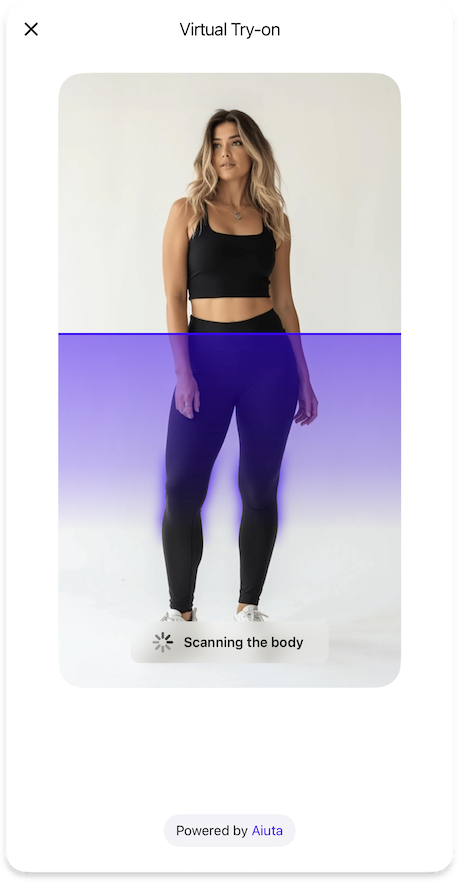
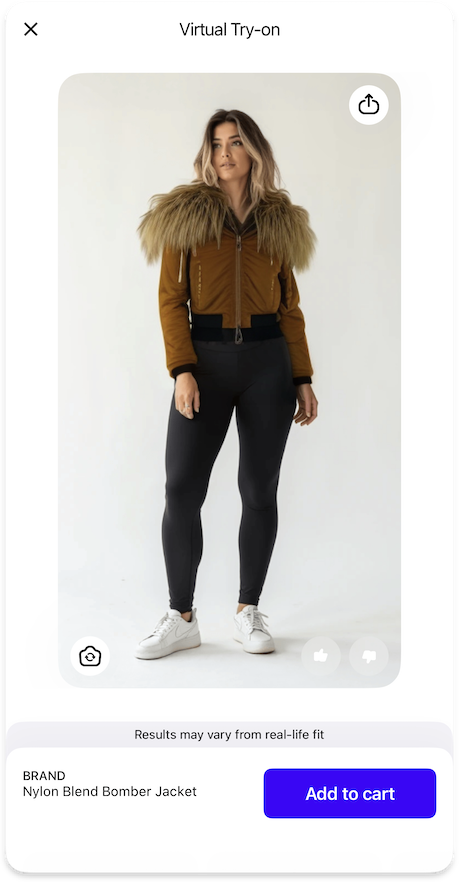
Configures the core virtual try-on functionality for trying products virtually.
TryOnFeature {
  loadingPage: TryOnLoadingPageFeature // (1)!
  inputImageValidation: TryOnInputImageValidationFeature // (2)!
  cart: TryOnCartFeature // (3)!
  fitDisclaimer: TryOnFitDisclaimerFeature | null // (4)!
  feedback: TryOnFeedbackFeature | null // (5)!
  generationsHistory: TryOnGenerationsHistoryFeature | null // (6)!
  otherPhoto: TryOnWithOtherPhotoFeature | null // (7)!

  icons {
    tryOn20: Icon // (8)!
  }

  styles {
    tryOnButtonGradient: List<Color> | null // (9)!
  }

  strings {
    tryOnPageTitle: String // (10)!
    tryOn: String // (11)!
  }

  settings {
    isBackgroundExecutionAllowed: Bool // (12)!
    tryGeneratePersonSegmentation: Bool // (13)!
  }
}
- Configuration for the loading page displayed during the TryOn process.
- Configuration for validating input images before processing.
- Configuration for cart-related functionality in the TryOn interface.
- Optional configuration for displaying fit disclaimers to users.
- Optional configuration for collecting user feedback on TryOn results.
- Optional configuration for managing the history of generated TryOn results.
- Optional configuration for allowing users to continue with a different photo.
- Icon displayed for the TryOn magic button in the interface.
- Optional gradient colors for styling the TryOn button.
- Title text displayed at the top of the TryOn page.
- Label text used for the "Try On" buttons throughout the interface.
- Determines whether the SDK should wait for the generation results in the background when closed.
- Enables local person segmentation highlighting during loading on iOS 15+.
Sequence diagram
The sequence diagram of executing a virtual try-on operation.
sequenceDiagram
    autonumber
    actor USR as ⠀<br>User
    participant APP as Your<br>App
    participant BE as Your<br>Backend
    participant SDK as Aiuta<br>SDK
    participant API as Aiuta<br>Backend
    participant GS as Storage
    note over GS: Aiuta or Yours

    USR->>SDK: Pick a Photo / Tap Try-on button in the SDK UI
    activate SDK

    SDK->>API: Create operation<br>(image ID, product ID)
    activate API
    Note over SDK,API: Secure authenticated request
    API-->>SDK: Operation ID

    par
        API->>API: Generate image
        API->>GS: Save generated image
        deactivate API
        Note over API,GS: Anonymous.<br>The photo is associated with the<br>app entry, not the user entry
    and
        loop internal configuration delay
            SDK->>API: Request operation status
            API-->>SDK: Operation details
            Note over API,SDK: status, generated_images | error
            SDK-->>SDK: Check operation status
            Note over SDK: Repeat while<br>CREATED | IN_PROGRESS | PAUSED

        end
    end

    critical Check operation status
        option SUCCESS
            SDK->>SDK: Add images to the history
            SDK->>GS: Get result image by the URL
            activate GS
            GS-->>SDK: Image data
            deactivate GS
            SDK-->>USR: Present results
            Note over SDK,USR: User may interact with results

        option ABORTED
            rect
                SDK-->>USR: Report couldn't detect anyone
            end
            Note over SDK,USR: User may select other photo and start over

        option FAILED | CANCELLED
            rect
                SDK-->>USR: Show something went wrong error
                deactivate SDK
            end
            Note over SDK,USR: User may try again to start over
    end
{"Bool": "/sdk/developer/definitions/#bool", "Color": "/sdk/developer/definitions/#color", "Icon": "/sdk/developer/definitions/#icon", "List": "/sdk/developer/definitions/#list", "String": "/sdk/developer/definitions/#string", "TryOnCartFeature": "cart/", "TryOnFeedbackFeature": "feedback/", "TryOnFitDisclaimerFeature": "fit-disclaimer/", "TryOnGenerationsHistoryFeature": "generations-history/", "TryOnInputImageValidationFeature": "input-image-validation/", "TryOnLoadingPageFeature": "loading-page/", "TryOnWithOtherPhotoFeature": "other-photo/", "null": "/sdk/developer/definitions/#optional"}