How It Works Page
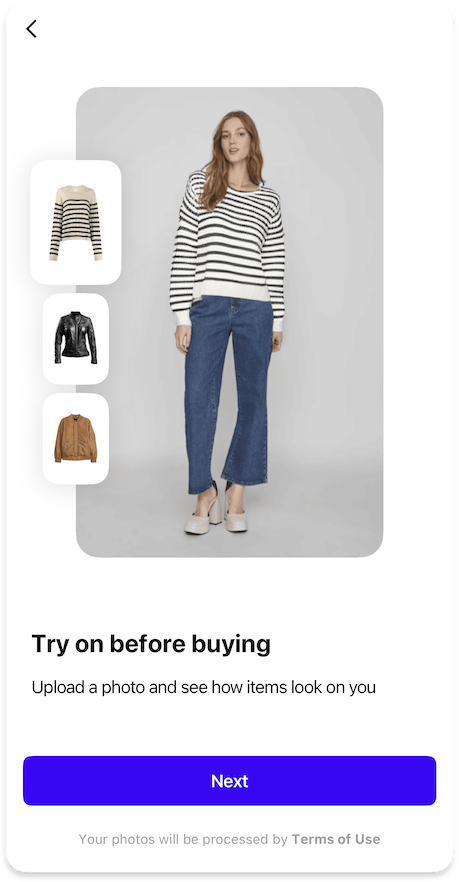
Configures the first page of onboarding that demonstrates how virtual try-on works through interactive examples.
OnboardingHowItWorksPageFeature {
  images {
    onboardingHowItWorksItems: List<{ // (6)!
      itemPhoto: Image // (1)!
      itemPreview: Image // (2)!
    }>
  }

  strings {
    onboardingHowItWorksPageTitle: String | null // (3)!
    onboardingHowItWorksTitle: String // (4)!
    onboardingHowItWorksDescription: String // (5)!
  }
}
- Defines the example photo showing a person wearing the item for the try-on demonstration.
- Specifies the flatlay image of the item with a transparent background for the try-on preview.
- Sets an optional title for the "How It Works" page at the top of the screen.
- Defines the main title displayed below the interactive try-on demonstration section.
- Configures the descriptive text explaining how the virtual try-on feature works.
- List of exactly 3 objects, each containing images for the interactive onboarding.
{"Image": "/sdk/developer/definitions/#image", "List": "/sdk/developer/definitions/#list", "String": "/sdk/developer/definitions/#string", "null": "/sdk/developer/definitions/#optional"}