Predefined Models
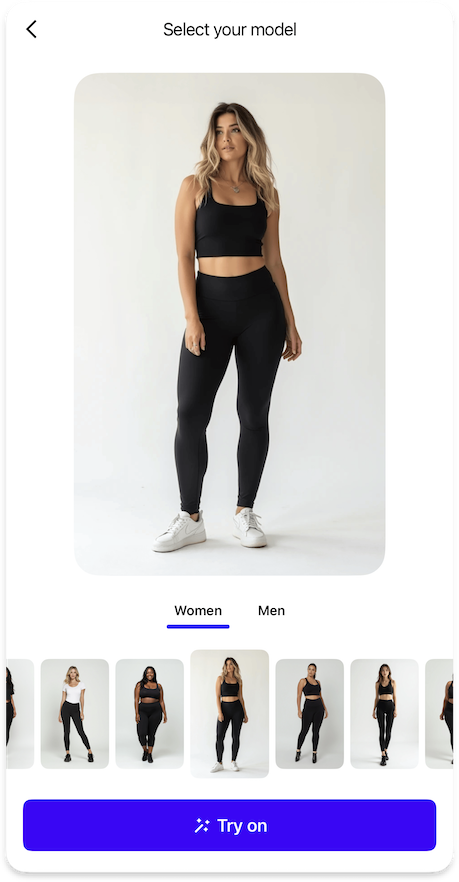
Configuration for using predefined model images as an alternative to user photos.
ImagePickerPredefinedModelFeature {
  icons {
    selectModels24: Icon // (1)!
  }

  data {
    preferredCategoryId: String // (2)!
  }

  strings {
    predefinedModelsPageTitle: String // (3)!
    predefinedModelsOr: String // (4)!
    predefinedModelsErrorEmptyModelsList: String // (5)!
    predefinedModelsCategories: Map<String, String> // (6)!
  }
}
- Icon displayed for the predefined models button in the bottom sheet list.
- Identifier of the preferred category to show by default when user opens models page.
- Title text for the predefined models page and button in the bottom sheet list.
- Label text displayed before the predefined models button in the image picker.
- Error message shown when the list of predefined models is empty.
- Mapping of category identifiers to their display titles, typically covering
manandwomancategories.
{"Icon": "/sdk/developer/definitions/#icon", "Map": "/sdk/developer/definitions/#map", "String": "/sdk/developer/definitions/#string"}