Image Picker
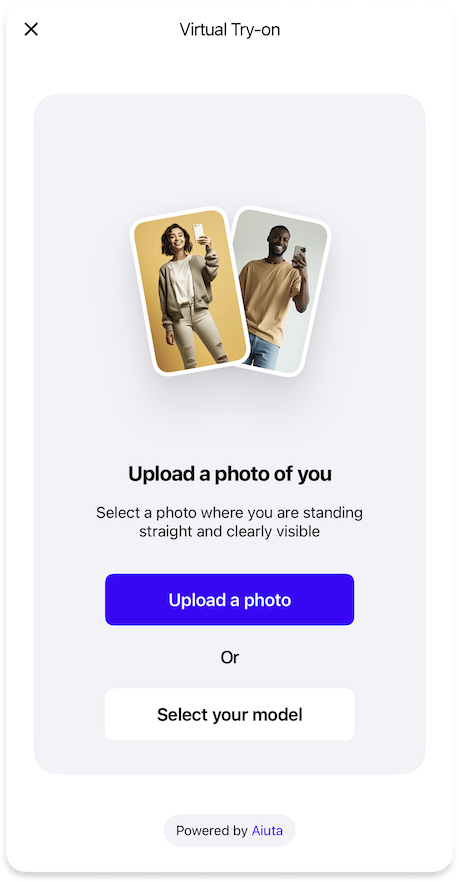
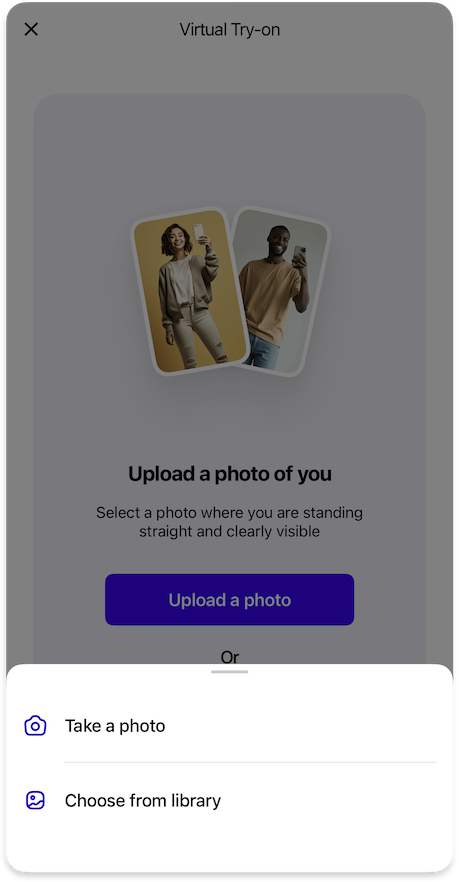
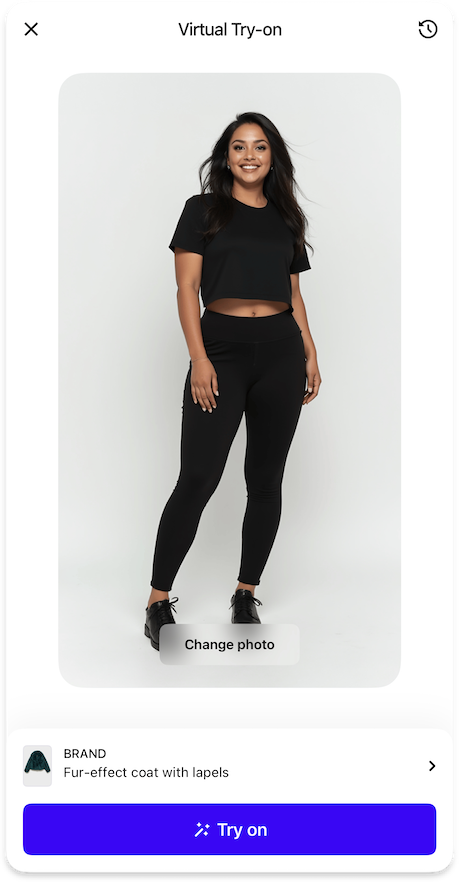
Controls the image selection interface, allowing users to pick photos, take new ones, use predefined models, or access previous uploads.
ImagePickerFeature {
  camera: ImagePickerCameraFeature | null // (1)!
  photoGallery: ImagePickerPhotoGalleryFeature // (2)!
  predefinedModels: ImagePickerPredefinedModelFeature | null // (3)!
  protectionDisclaimer: ImagePickerProtectionDisclaimerFeature | null // (4)!
  uploadsHistory: ImagePickerUploadsHistoryFeature | null // (5)!

  images {
    examples: List<Image> // (6)!
  }

  strings {
    imagePickerTitleEmpty: String // (7)!
    imagePickerDescriptionEmpty: String // (8)!
    imagePickerButtonUploadImage: String // (9)!
  }
}
- Configuration for camera functionality, allowing users to take new photos directly within the SDK.
- Configuration for accessing and selecting images from the device's photo library.
- Configuration for using predefined model images as an alternative to user photos.
- Optional disclaimer informing users about photo privacy and protection.
- Configuration for managing and reusing previously uploaded images.
- List of exactly 2 example of input images to display in the image picker interface.
- Title text displayed above images when the image picker is empty.
- Description text shown when the image picker is empty.
- Label text for the button used to upload new photos.
Sequence Diagrams
Detailed sequence of the user selecting the source image for the virtual try-on.
sequenceDiagram
    autonumber
    actor USR as ⠀<br>User
    participant APP as Your<br>App
    participant BE as Your<br>Backend
    participant SDK as Aiuta<br>SDK
    participant API as Aiuta<br>Backend
    participant GS as Storage
    note over GS: Aiuta or Yours

    USR->>APP: Tap Try-on Button
    APP->>SDK: Start Try-on (Product)
    activate SDK
    SDK-->>USR: Present SDK UI

    USR->>SDK: Select / take a new photo
    SDK->>API: Upload a photo
    activate API
    API->>GS: Save input image
    Note over API,GS: Anonymous.<br>The photo is associated with the<br>app entry, not the user entry
    API->>API: Generate image ID, form URL
    API-->>SDK: Return image ID, URL
    deactivate API

    SDK->>SDK: Start Try-on (Image)
    deactivate SDK
sequenceDiagram
autonumber
actor USR as ⠀<br>User
participant APP as Your<br>App
participant BE as Your<br>Backend
participant SDK as Aiuta<br>SDK
participant API as Aiuta<br>Backend
participant GS as Storage
note over GS: Aiuta or Yours
USR->>APP: Tap Try-on Button
APP->>SDK: Start Try-on (Product)
activate SDK
SDK-->>USR: Present SDK UI
USR->>SDK: Select model / previously used photo
SDK->>SDK: Add/Reorder image in the history
Note right of SDK: Using the image ID
SDK->>SDK: Start Try-on (Image)
deactivate SDKDetailed sequence of the user selecting the source image for the virtual try-on with custom configuration.
sequenceDiagram
    autonumber
    actor USR as ⠀<br>User
    participant APP as Your<br>App
    participant BE as Your<br>Backend
    participant SDK as Aiuta<br>SDK
    participant API as Aiuta<br>Backend
    participant GS as Storage
    note over GS: Aiuta or Yours

    USR->>APP: Tap Try-on Button
    APP->>SDK: Start Try-on (Product)
    activate SDK
    SDK-->>USR: Present SDK UI

    USR->>SDK: Tap upload a photo
    SDK->>SDK: Check consent obtained
    opt consent required
        SDK-->>USR: Present consent page
        USR->>SDK: Accept consent terms
        SDK->>APP: Call obtainConsentIds (consent IDs)
        APP->>BE: Store consents obtained
    end

    SDK-->>USR: Show options for uploading
    USR->>SDK: Select/take a new photo
    SDK->>API: Upload a photo
    activate API
    API->>GS: Save input image
    Note over API,GS: Anonymous.<br>The photo is associated with the<br>app entry, not the user entry
    API->>API: Generate image ID, form URL
    API-->>SDK: Return image ID, URL
    deactivate API

    SDK->>SDK: Start Try-on (Image)
deactivate SDKsequenceDiagram
autonumber
actor USR as ⠀<br>User
participant APP as Your<br>App
participant BE as Your<br>Backend
participant SDK as Aiuta<br>SDK
participant API as Aiuta<br>Backend
participant GS as Storage
note over GS: Aiuta or Yours
USR->>APP: Tap Try-on Button
APP->>SDK: Start Try-on (Product)
activate SDK
SDK-->>USR: Present SDK UI
USR->>SDK: Select model / previously used photo
SDK->>APP: Add/Select image in the history
APP->>BE: Update uploads history
Note over APP,BE: Recent image first in the list
APP-->>SDK: Update data provider observable list
SDK->>SDK: Start Try-on (Image)
deactivate SDK{"Image": "/sdk/developer/definitions/#image", "ImagePickerCameraFeature": "camera/", "ImagePickerPhotoGalleryFeature": "photo-gallery/", "ImagePickerPredefinedModelFeature": "predefined-models/", "ImagePickerProtectionDisclaimerFeature": "protection-disclaimer/", "ImagePickerUploadsHistoryFeature": "uploads-history/", "List": "/sdk/developer/definitions/#list", "String": "/sdk/developer/definitions/#string", "null": "/sdk/developer/definitions/#optional"}